Abrites Vehicle Diagnostics Interface

€1,088.00
€788.00 (Excl. VAT)

Included Software

Included Software

No tokens required

No tokens required

Software Updates

Software Updates

Annual Subscription

Annual Subscription

Abrites Vehicle Diagnostics Interface

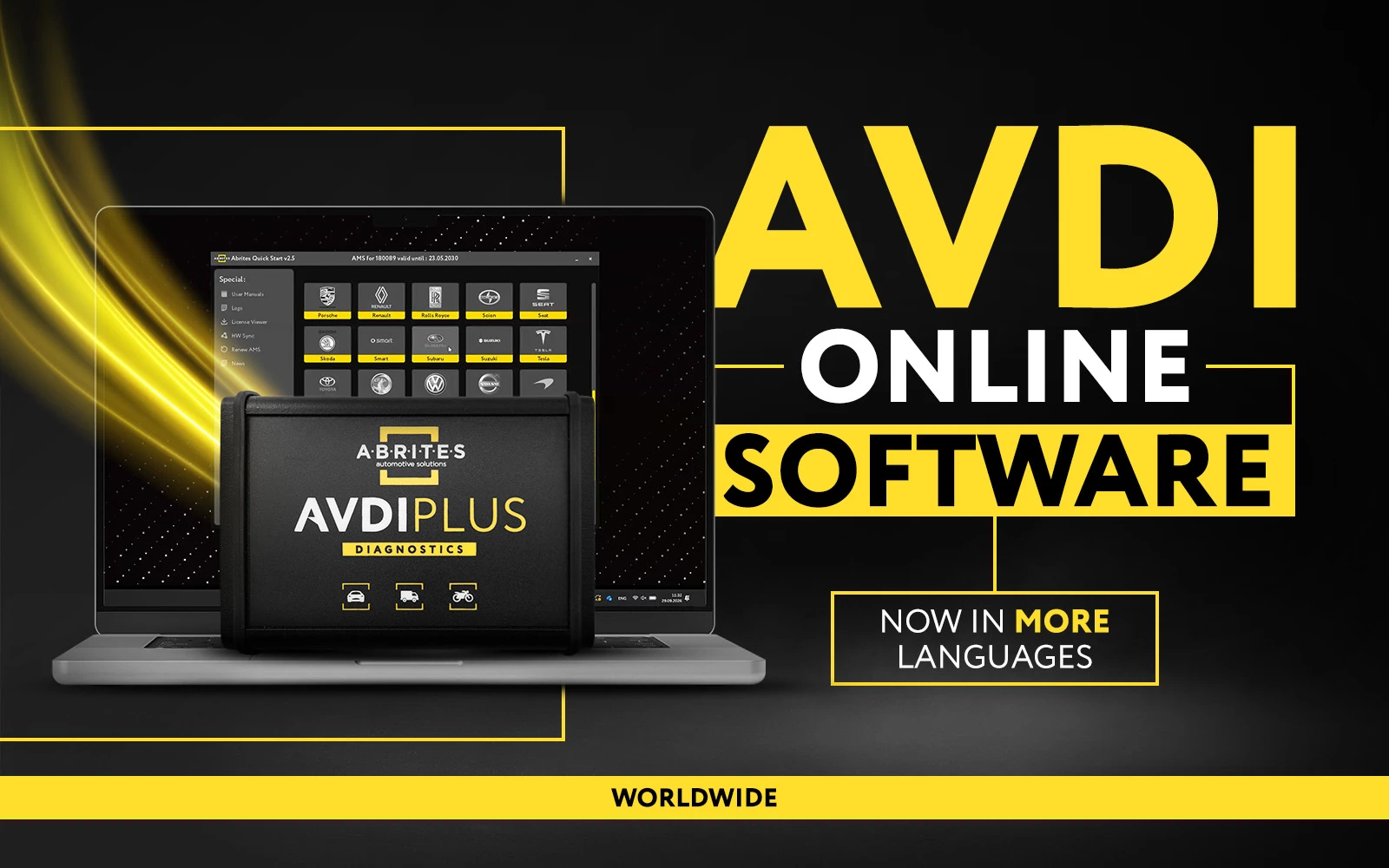
AVDI is a professional diagnostic and programming tool for cars, motorcycles, trucks, buses, and heavy-duty vehicles. Designed for workshops and automotive professionals, it combines advanced diagnostics, key programming, ECU and TCU programming, module replacement, and dashboard calibration in one powerful interface, helping you complete more jobs faster with a single, reliable solution.
View Full AVDI Software
For Diagnosticians For Diagnosticians
Advanced Diagnostics
For Experts For Experts
Key Programming
For Experts For Experts
Module Replacement and ECU Programming
For Workshops For Workshops
Instrument Cluster Calibration
No Limits No Limits
PassThru Driver (J2534)
J1939 J1939
Heavy Duty, Agricultural, Rectreational Vehicles
Complete vehicle scan

Complete vehicle scan

Module Identification

Module Identification

Diagnostic Trouble Codes

Diagnostic Trouble Codes

Live Values Display

Live Values Display

Actuator Testing

Actuator Testing

Advanced Diagnostics (brand-specific)

Advanced Diagnostics (brand-specific)

3-Step Installation Guide

01

Download the Installation Files

Download the ABRITES Common Setup and the AVDI setup package for your interface ID from the download link provided by ABRITES. Make sure all Common Setup files (SetupInterface_Common.exe and the accompanying .bin files) are saved in the same folder before starting the installation.
02

Install the Software

Run SetupInterface_Common.exe and complete the installation wizard. Once finished, launch the AVDI setup file corresponding to your interface ID and follow the on-screen instructions. If prompted, connect your AVDI interface so Windows can install the required USB drivers automatically.
03

Connect and Activate

After the installation is complete, connect your AVDI to your PC and launch ABRITES Quick Start. Keep your computer connected to the internet during the first launch to allow the software to perform the initial activation, synchronize your interface, and install any available updates. Once completed, your AVDI is ready for diagnostics and programming.

AVDI Videos

AVDI Unboxing and Basic Functionalities

AVDI Unboxing and Basic Functionalities

How to Install ABRITES Software - A Quick Guide

How to Install ABRITES Software - A Quick Guide

Show More Videos

Your Workshop's Greatest Ally

Get more done with AVDI—the all-in-one diagnostic and programming platform built for professional workshops. Designed for speed, reliability, and everyday use, AVDI helps you complete jobs efficiently, from routine diagnostics to advanced vehicle programming. With AVDI, you can perform comprehensive diagnostics, key programming, module and parts replacement, dashboard calibration, ECU, TCU, and instrument cluster (IC) programming, all using a single powerful interface.
Dimensions: 13x5x25 cm

Dimensions: 13x5x25 cm

Compact and durable, AVDI is a rigid tool, made to withstand harsh conditions everywhere you need to get the job done.
Weight: 0.6 kg

Weight: 0.6 kg

Only 0.6 kilograms, AVDI is lightweight and convenient for on-the-spot procedures.
Easy and Fast Insallation

Easy and Fast Insallation

The installation process is super easy and user-friendly, it requires downloading and installing a few files on your laptop, then simply running the Abrites software application.

Frequently Asked Questions

A few useful pieces of information for all AVDI users!
AVDI (ABRITES Vehicle Diagnostics Interface) is a professional diagnostic and programming tool that supports cars, motorcycles, trucks, buses, agricultural, marine, and heavy-duty vehicles. It combines diagnostics, key programming, ECU coding, module replacement, and advanced programming in a single platform.
AVDI supports a wide range of manufacturers across passenger cars, commercial vehicles, motorcycles, agricultural machinery, construction equipment, and marine applications. Vehicle coverage depends on the installed software licenses.
Depending on your licenses, you can perform diagnostics, read and clear fault codes, monitor live data, program keys, replace and adapt modules, calibrate dashboards, program ECUs and TCUs, and carry out many manufacturer-specific service procedures.
Yes. AVDI comes with the basic diagnostic software, while advanced functions are unlocked through manufacturer-specific and special function licenses. This allows you to purchase only the features your business needs.
Yes. AVDI is fully scalable. You can add new software licenses and functionality at any time without replacing your hardware.
AVDI runs on Windows 10 and above, and requires the latest ABRITES software installation, an internet connection for activation and updates, and an active Annual Maintenance Subscription (AMS) for access to the latest software releases and newly developed functionalities.
Yes. ABRITES continuously releases software updates, adding new vehicle coverage, functions, and improvements. An active AMS subscription ensures access to the latest updates.
Yes. Every AVDI user has access to comprehensive technical resources, including user manuals, video tutorials, and professional technical support. ABRITES also offers hands-on and online training courses led by experienced specialists, covering diagnostics, key programming, ECU programming, and advanced vehicle-specific procedures. These trainings help technicians build practical skills, stay up to date with the latest technologies, and get the most out of their AVDI investment.

Avdi Base Worldwide

Many of our customers are not fully aware of the capabilities included in the base AVDI ! Now that you have invested in AVDI, we want to give you the knowledge you may be missing about what comes with...