
Nissan/Infiniti Online User Manual

Nissan/Infinity Online user manual




User manual
version 1.1
www.abrites.com
2026
www.abrites.com
Important notes
Warranty
The Abrites software and hardware products are developed, designed and manufactured by Abrites Ltd. During the production process we comply to all safety and quality regulations and standards, aiming at highest production quality. The Abrites hardware and software products are designed to build a coherent ecosystem, which effectively solves a wide range of vehicle-related tasks, such as:
All software and hardware products by Abrites Ltd. are copyrighted. Permission is granted to copy Abrites software files for your own back-up purposes only. Should you wish to copy this manual or parts of it, you are granted permission only in case it is used with Abrites products, has “Abrites Ltd.” written on all copies, and is used for actions that comply to respective local law and regulations.
You, as a purchaser of Abrites hardware products, are entitled of a two-year warranty. If the hardware product you have purchased has been properly connected, and used according to its respective instructions, it should function correctly. In case the product does not function as expected, you are able to claim warranty within the stated terms. Abrites Ltd. is entitled to require evidence of the defect or malfunction, upon which the decision to repair or substitute the product shall be made.
There are certain conditions, upon which the warranty cannot be applied. The warranty shall not apply to damages and defects caused by natural disaster, misuse, improper use, unusual use, negligence, failure to observe the instructions for use issued by Abrites, modifications of the device, repair works performed by unauthorized persons. For example, when the damage of the hardware has occurred due to incompatible electricity supply, mechanical or water damage, as well as fire, flood or thunder storm, the warranty does not apply.
Each warranty claim is inspected individually by our team and the decision is based upon thorough case consideration.
Read the full hardware warranty terms on our website.
Nissan/Infiniti Online User Manual
2026
2
www.abrites.com
Copyright information
Safety information
Copyright:
Notices:
The Abrites products are to be used by trained and experienced users in diagnostics and reprogramming of vehicles and equipment. The user is assumed to have a good understanding of vehicle electronic systems, as well as potential hazards while working around vehicles. There are numerous safety situations that cannot be foreseen, thus we recommend that the user read and follow all safety messages in the available manual, on all equipment they use, including vehicle manuals, as well as internal shop documents and operating procedures.
Some important points:
Block all wheels of the vehicle when testing. Be cautious when working around electricity.
In case any technical difficulties occur, please contact the
Abrites Support Team by email at support@abrites.com.
Nissan/Infiniti Online User Manual
2026
3
www.abrites.com
List of revisions
Date
Chapter
Description
Revision
Nissan/Infiniti Online User Manual
2026
04.01.2023
1.0
ALL
Document created.
5
23.03.2026
1.1
7
Dashboard Calibration Created
www.abrites.com
Nissan/Infiniti Online User Manual
2026
1. Introduction
6
Congratulations on choosing our wonderful product!
The “Nissan/Infiniti Online” is an Online server based Abrites software for “Nissan and Infiniti” vehicles
In order to operate, the software requires you to have an AVDI interface, a Windows based PC with a minimum of 1024MB RAM, 64GB of free hard drive space and at least Windows 7 64bit Service Pack 1 or later version to operate. For optimal operation, it is always recommended to have the latest software version installed, active AMS, and a stable Internet connection.
With the help of this software you can perform unmatched, dealer level diagnostics, previously available to the OEM services only. Additional Special Functions are the following: Adaptation procedures, PIN code reading and key learning.
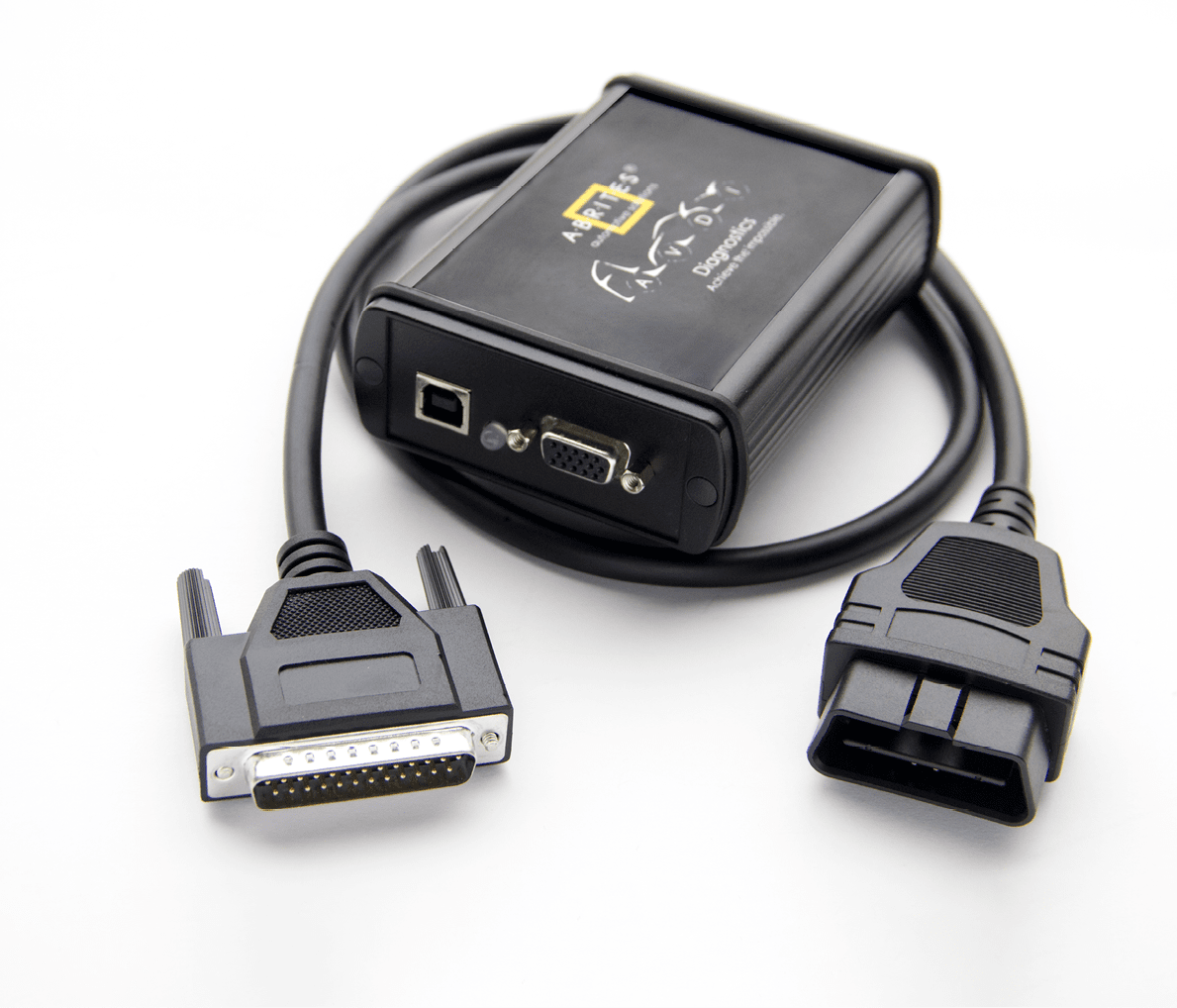
For proper operation of your diagnostic software you will need a corresponding interface for connection between your PC and vehicle named “AVDI”. “AVDI” stands for “Abrites Vehicle Diagnostic Interface.” It is produced by Abrites Ltd. and intended to act as an interface between the PC and the electronic control units.
Please check the “license viewer” installed on your computer for your unique interface ID number.
The software is in constant development and its functionality is ever growing. The intentions for the Abrites Software are to be used by automotive specialists, but it is simultaneously designed in such a way that is accessible to enthusiasts as well.
AVDI should be used with ABRITES software produced by Abrites Ltd.
ABRITES is a trade mark of Abrites Ltd
www.abrites.com
Nissan/Infiniti Online User Manual
2026
2.1 Scope of the manual
This document describes the usage of Abrites diagnostic software for “Nissan/Infiniti” vehicles. The document is applicable for the latest software version.
We can suggest a connection to the Internet via 3G/4G from a mobile device or a Wi-Fi network. Please ensure to have port 8443 allowed by your Internet service provider so that t your Abrites diagnostics for Renault/Dacia Online is able to operate correctly
In this manual we suppose that the software for your AVDI interface is already installed. Please refer the “AVDI Common User’s Manual” in case it is not.
2.2 System requirements
2. General Information
7
www.abrites.com
Nissan/Infiniti Online User Manual
2026
2.3 Getting Started
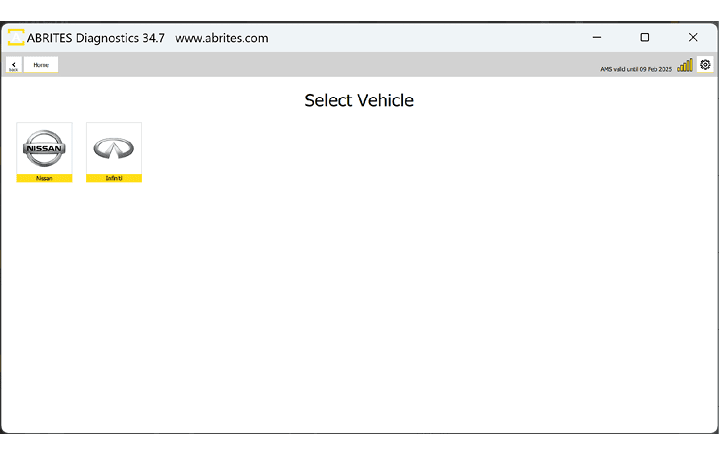
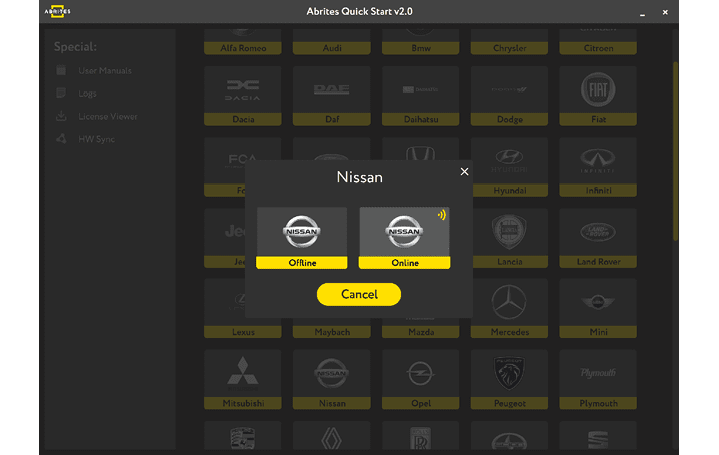
You can start Abrites Diagnostics for Nissan/Infiniti Online by starting the Abrites Quick Start application and selecting Nissan or Infiniti icons.
When the Abrites Diagnostics for Nissan/Infiniti application is started you will be prompted to select the Nissan or Infiniti Online application, and the next step is to select the Model.
8
www.abrites.com
Nissan/Infiniti Online User Manual
2026
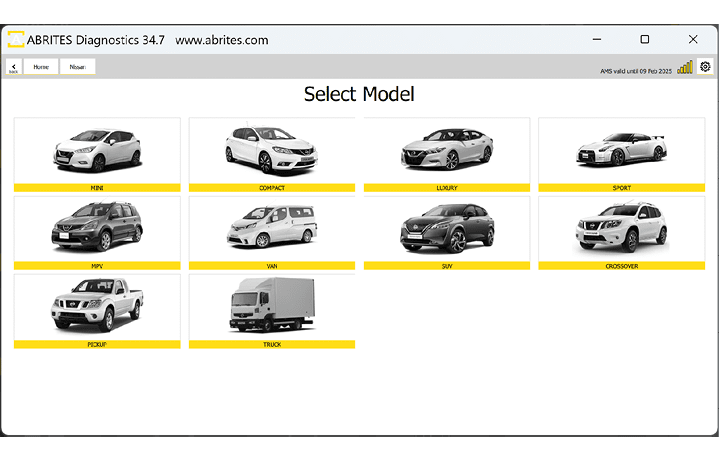
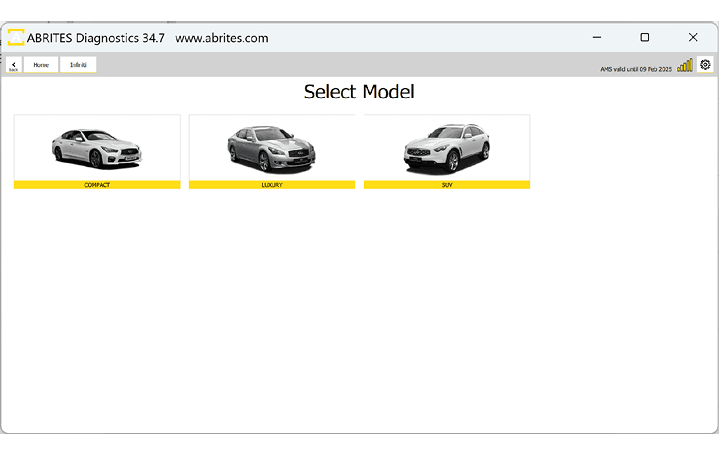
In the next screen, depending on the brand you have selected you will see the types of vehicles, once the type of vehicle is selected you will have to choose the exact model and generation. Below you can see the examples for type of vehicle both in Nissan and Infiniti. After you have selected the model, it will be checked and detected by the software. You will see the details of the car - the diagnostic protocols it uses, the VIN of the car, the model, and then you can continue to the list of modules installed in this particular vehicle. Also, if you have made a mistake with the vehicle selection, the software would ask you if your selection was correct and would suggest another option based on the auto-detection.
9
www.abrites.com
Nissan/Infiniti Online User Manual
2026
3. Diagnostic Functionalities
3.1 Standard Diagnostic Functionalities
Abrites software for Nissan/Infiniti has the following standard diagnostic functionalities:
10
www.abrites.com
Nissan/Infiniti Online User Manual
2026
3.1.1 Read/Clear DTCs
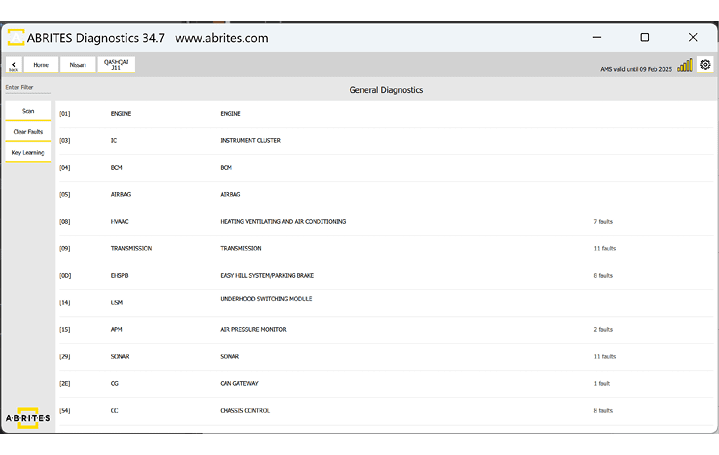
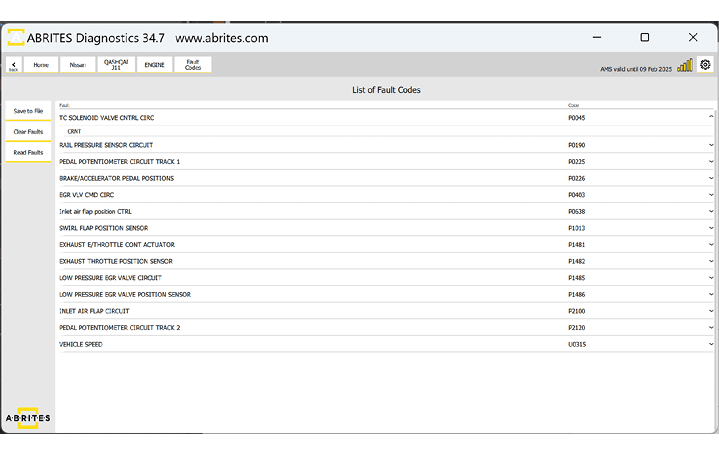
Reading and clearing DTCs is a standard diagnostic procedure, which is executed from the main screen of the software. First step - Scan is done automatically when the vehicle is selected and upon loading the list of available modules, or by pressing he “Scan” button at any other point. This action will display the number of DTCs in each module that DTCs are present. You can press the “Clear Faults” button to clear all DTCs, or enter each module one by one and get details about the DTCs. Below you can see screenshots of the diagnostic scan with available DTCs, and DTCs information in the module.
11
www.abrites.com
Nissan/Infiniti Online User Manual
2026
3.1.2 Live Data Monitoring
Live Values or Live Data monitoring is a very useful functionality when it comes to vehicle diagnostic. The benefits of live data monitoring are:
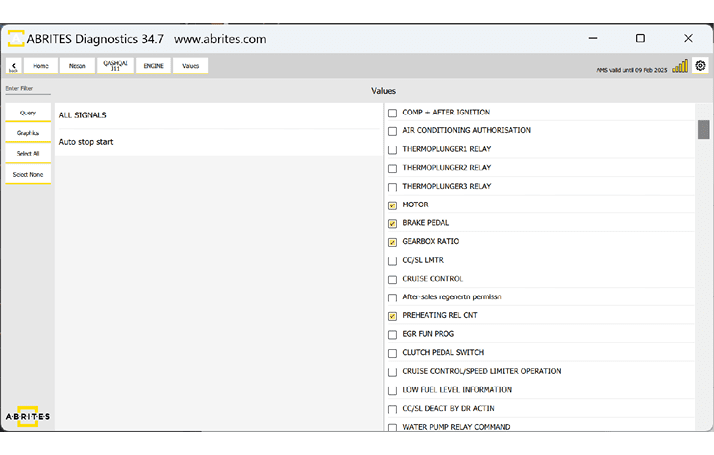
Live Data monitoring is accessed trough the diagnostic menu, by entering a module and pressing the “Live Value” button. You will have to choose the data you want to monitor and choose between a query or a graph visualization.
12
www.abrites.com
Nissan/Infiniti Online User Manual
2026
3.1.3 Actuator Testing
Actuator Testing allows you to assess the functionality of various actuators in the vehicle. Actuators control critical components such as motors, solenoids, and valves. Actuator Testing enables you to precisely target and address specific issues. Improve accuracy in diagnosing problems related to actuators. Minimize trial-and-error by confirming the root cause of issues promptly.
Benefits of Actuator Testing:
How to Perform Actuator Testing:
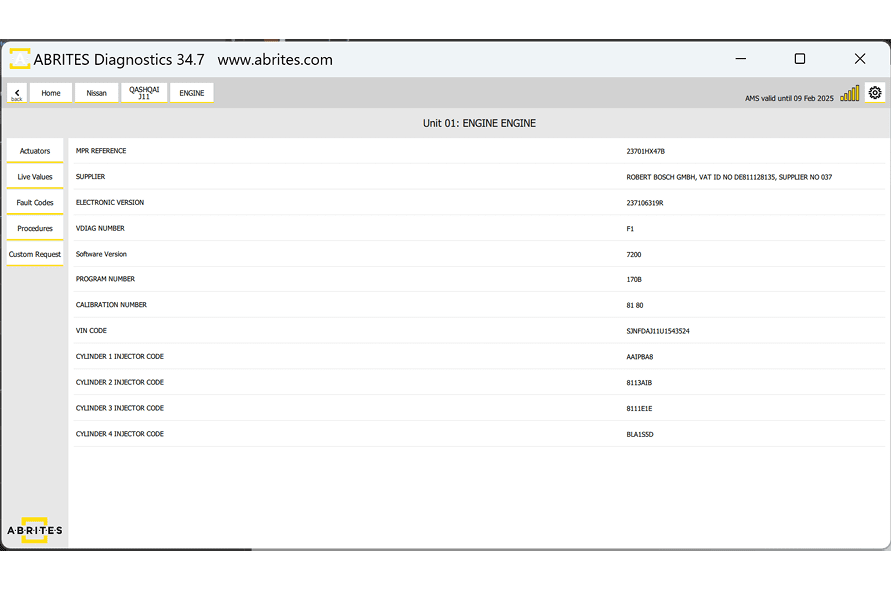
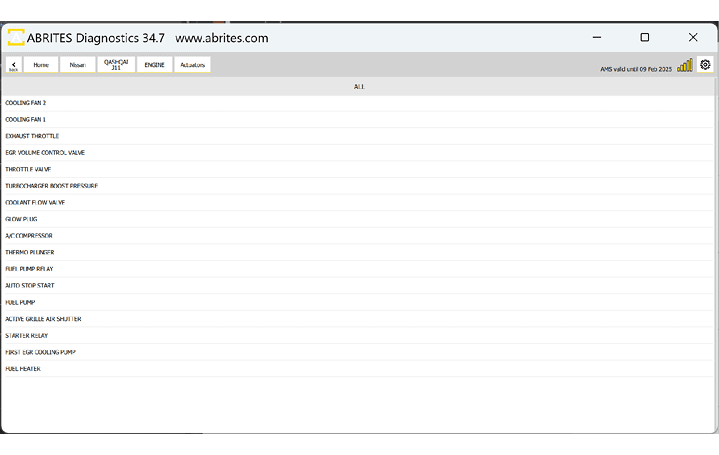
Open the software > from the main screen select the module you want to work with. Once in the module > select “Actuators” and then select the specific actuator you want to test from the software interface.
Follow on-screen instructions to initiate the testing procedure. Monitor the response of the actuator to ensure it operates within expected parameters.
13
www.abrites.com
Nissan/Infiniti Online User Manual
2026
3.2 Advanced Diagnostic Functionalities
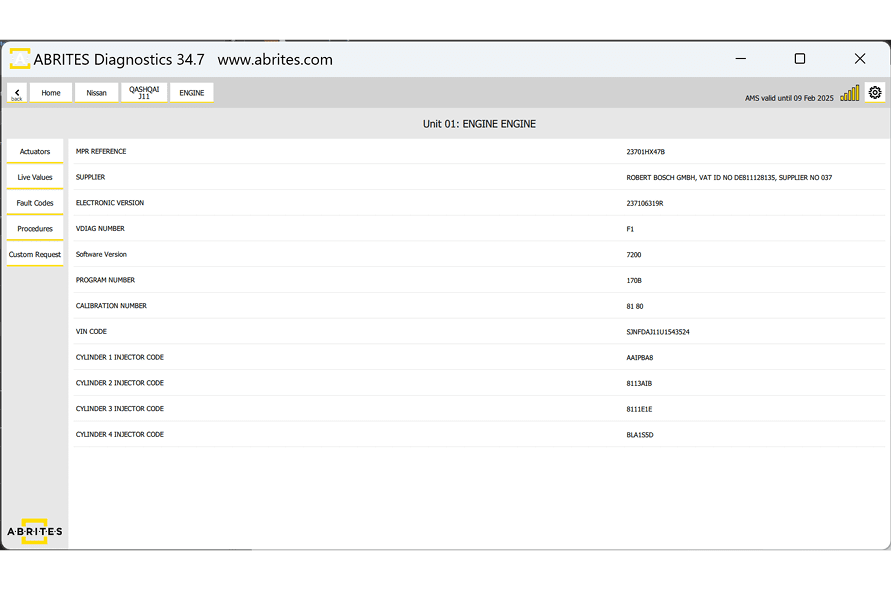
The “procedures” are advanced functions - dealer level coding functionalities and service procedures, which are executed trough the diagnostic menu, by entering the module you want to work with and selecting “procedures” button. The way our software works in this fields is that it shows a list of all functionalities that could be available for a given modules, but are not necessary present or available for the vehicle you are working with, so some of the functionalities in the “procedures” menu will not work due to the fact they are not present or supported by your vehicle.
14
www.abrites.com
Nissan/Infiniti Online User Manual
2026
The software provides special diagnostic functions. The available special functions are displayed on the left side of the main screen of the software, in a list form in the menu bar. You can open the required special function by clicking on it
The available special functions in ABRITES Diagnostics for Nissan/Infiniti Online software are:
NB. Module adaptation in Nissan vehicles does not have a separate special function button, please check the dedicated section for “Module Adaptation” for details.
15
4. Special Functions
www.abrites.com
Nissan/Infiniti Online User Manual
2026
Key Learning in the Nissan/Infiniti vehicles is done via the OBDII port and only the latest models based on a Renault platform will require CB012 cable - additional details on that in a subsection later in this manual.
Supported Platforms:
5 digit to 4 digit PIN code using HItag 2 keys
12 digit pre pin to 12 digit PIN using HItag 2 keys
20 digit pre pin to 20 digit PIN using HItag AES keys
22 digit pre pin to 20 digit PIN using HItag AES keys
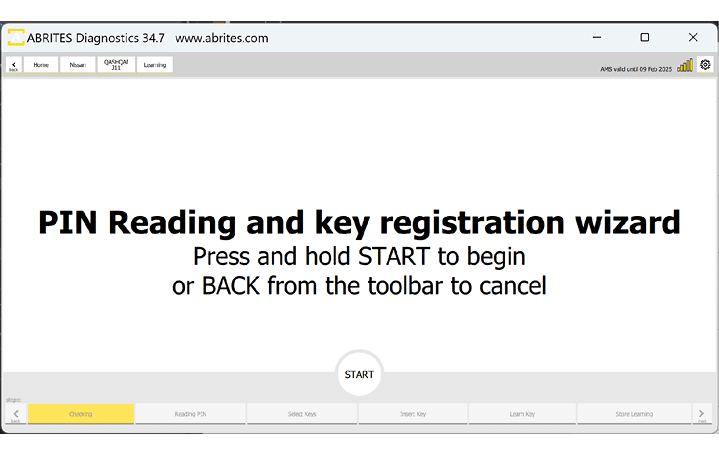
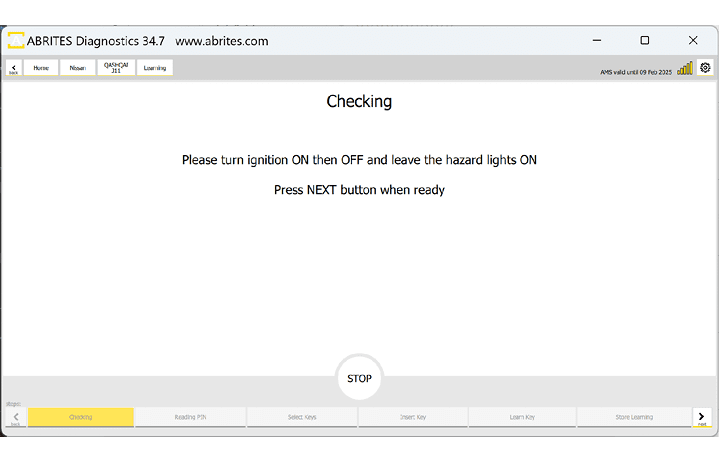
The procedure is guided and provides all required details in each step, so that you are able to execute it only by following the on-screen messages. Procedure is started from the main screen of the software > Key Learning button, and you will see the following:
5. Key Learning
16
www.abrites.com
Nissan/Infiniti Online User Manual
2026
17
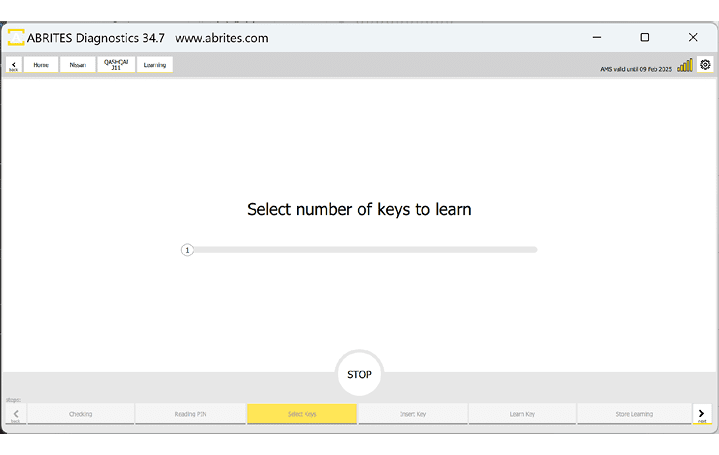
Below you can see more examples of screenshots from the procedure. On the first picture you can see the “Select number of keys yo learn” menu, where you need to drag the pointer to the required number of keys that you will be programming.
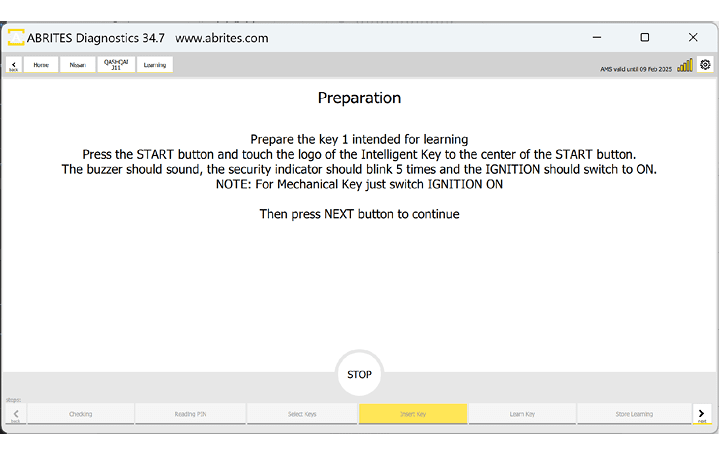
The next screen is giving you the required actions you need to complete for the key learning.
www.abrites.com
Nissan/Infiniti Online User Manual
2026
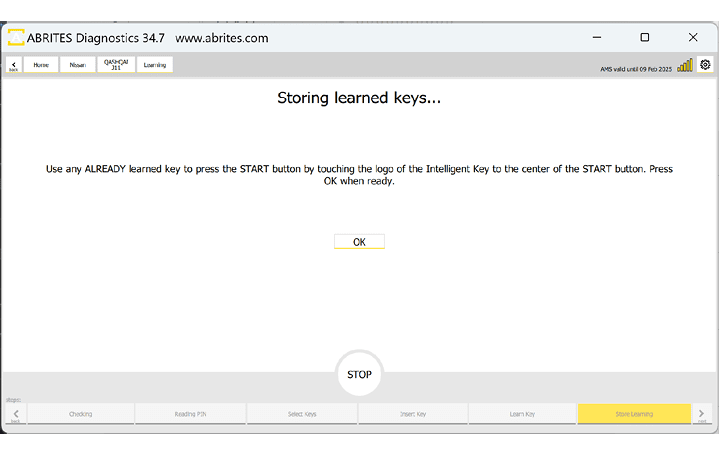
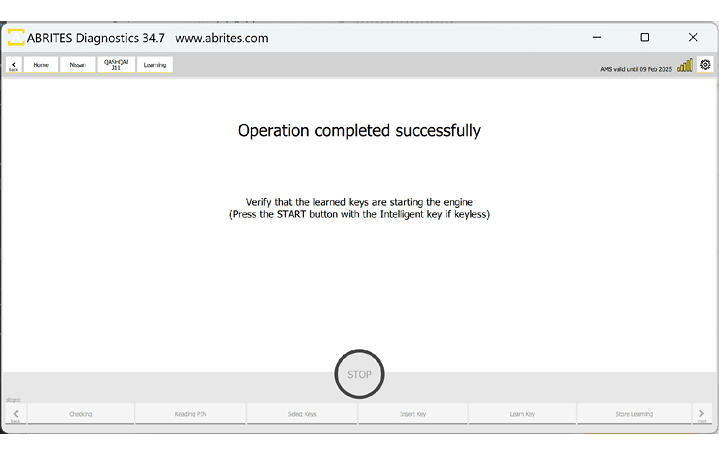
If everything is executed properly, you will see the following screens, and the procedure will be completed with success.
18
www.abrites.com
Nissan/Infiniti Online User Manual
2026
There are 3 main ways that the procedure can be executed.
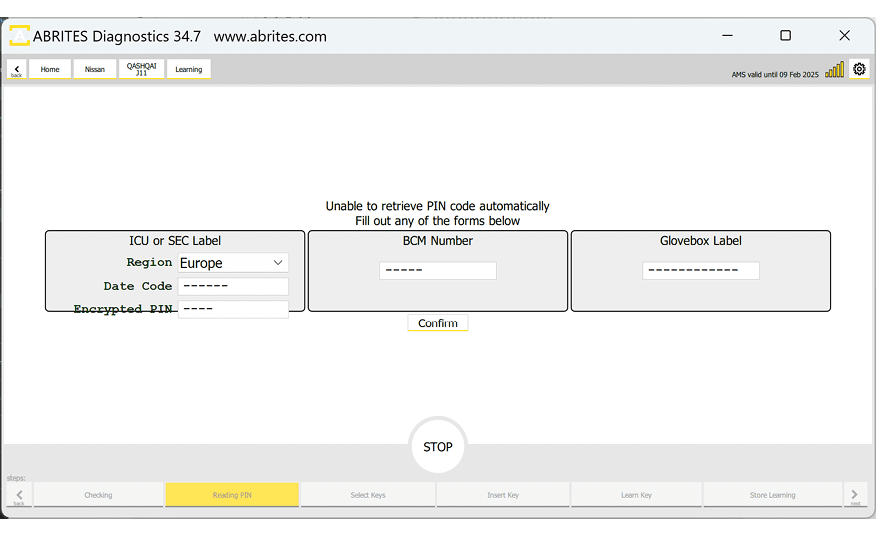
There is another option for older vehicles to calculate the PIN by ICU or SEC label.
PIN Code CALCULATOR covers the following platforms:
5 digit to 4 digit PIN code using HItag 2 keys
12 digit pre pin to 12 digit PIN using HItag 2 keys
20 digit pre pin to 20 digit PIN using HItag AES keys
19
www.abrites.com
Nissan/Infiniti Online User Manual
2026
20
5.1 Clio V Platform Based Vehicles
Some of the latest models of Nissan/Infiniti are entirely based on the Clio V platform. For this reason, there are done just as a Clio V. These are the vehicles with a 28 digit Pin Codes - based on the Renault platform for example - Juke F16, Sentra B18, J12, use the same procedure as Renault, so please refer to the Renault Online user manual, Section Clio 5 (4.1 and 4.2)
In order to complete such a job, you will need to work with the ABRITES RH850/V850 Programmer. This functionality allows extracting the PIN code by dump from HFM (keyless models) and BCM (non-keyless models) modules with locked RH850 processors to later program keys in All Keys Lost situations for a range of Nissan vehicles.
Main functionalities:
Supported models:
5.1.1 Connections
Internal CAN connection is needed and the software will tell you once the procedure is started and before the PIN can be verified. You will get the following message: “Please use an adapter to connect to internal vehicle CAN“
CB012 adapter is connected between the AVDI and the CB106 cable. The needle pinches are connected to the internal CAN wires of the vehicle - please check the technical documentation for the particular vehicle you are working with to be sure which are the CAN H and CAN L wires in your vehicle.
Below you can see an example of connecting the CB012 to a 2021 Nissan Qashqai J12’s UPC module. In this example the CAN H is the blue wire on the vehicle, and CAN L is the pink wire. Wire colors may vary, so you need to check the documentation of your own vehicle.
www.abrites.com
Nissan/Infiniti Online User Manual
2026
Module adaptation in the Nissan/Infiniti vehicles is not a separate procedure, due to the way the systems in these vehicles operate. You are able to adapt a module (new or virgin) by performing key learning procedure.
ECU replacement - new or virgin unit needs to be installed in the vehicle, and you need to execute the Key Learning procedure explained in the dedicated section of this user manual.
If a second hand ECU is used you need to find a virgin dump and write it to the unit. Before making the unit virgin you need to use Nissan Consult to read the unit’s information (full back-up) before making the unit virgin. This back-up has information about injectors for example and everything specific for the vehicle, but does not have the immobilized related information. Then write a virgin dump - for that procedure you can use thee ECU Programming software. Next use Consult to write the already backed-up data. Last steps is to perform key learning.
Navigation unit replacement - once the replacement navigation unit is installed in the vehicle you will also have to do a key learning procedure as the unit will not be fully functional, even though it is not an immobilizer related module.
VIN is only in available in the ECU
21
6. Module Adaptation
www.abrites.com
Nissan/Infiniti Online User Manual
2026
7. Dashboard Calibration
This functionality allows dashboard calibration and disables the dashboard and ABS synchronisation for Nissan models 2019+ equipped with analogue and virtual instrument clusters.
NB! An internal CAN-Bus connection is required using the CB012 or CB021 Cable, depending on the UCH genaration / type.
Supported Models:
Functionalities:
22
www.abrites.com
Nissan/Infiniti Online User Manual
2026
Procedure steps for UCH Type 1:
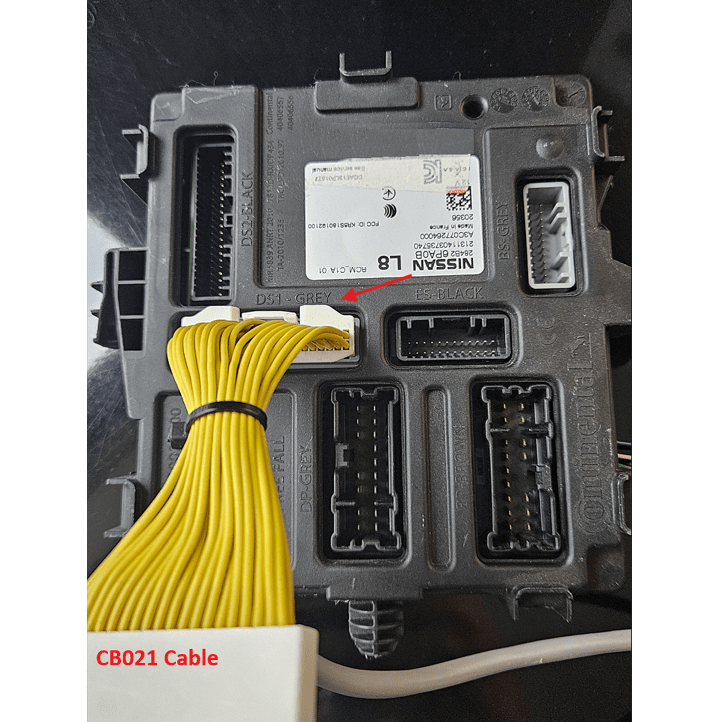
When you are working on type 1 UCH vehicles , the CB021 cable is “plug and play” solution , created for your convinience.
1. Connect the vehicle via OBD II diagnostic port and internal CAN with the help of the CB021 cable.
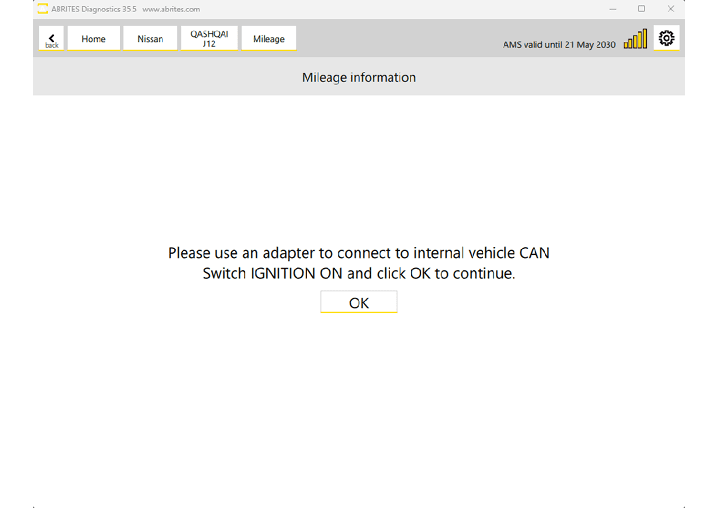
2. Read the current mileage and edit it accordingly.
Example :
The CB021 should to be connected in the DS1 Connector ( Grey )
23
3. By writing the new mileage value the synchronization between the dashboard and ABS will be automatically disabled by the software.
www.abrites.com
Nissan/Infiniti Online User Manual
2026
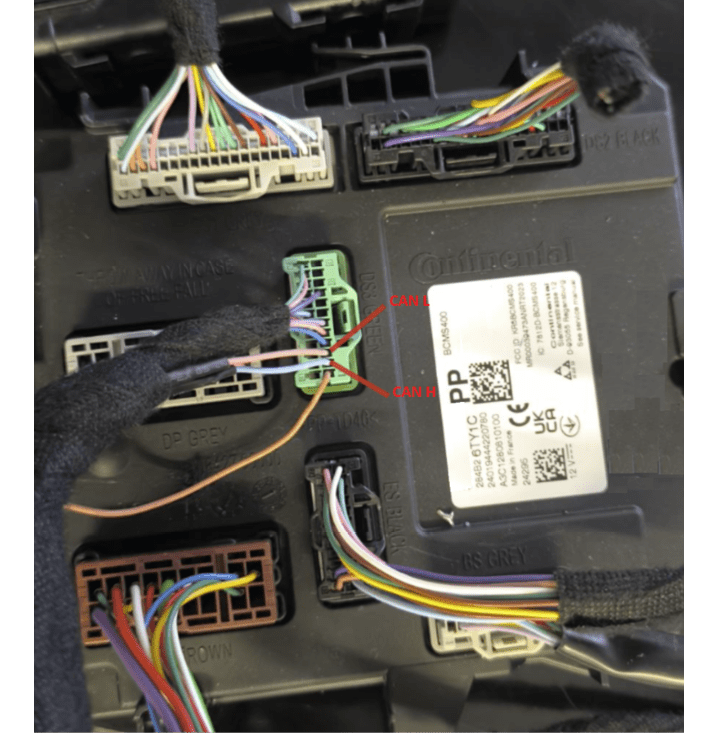
Steps for UCH Type 2:
UCH (SWEET 400) requires connection with the vehicle CAN-Bus with CB012 cable.
1. Connect the vehicle via OBD II diagnostic port and internal CAN with the help of the CB012 cable.
2. Read the current mileage and edit it accordingly.
Example :
DS3 Green connector :
CB012 Red Needle CAN H - blue cable ( pin 2)
CB012 Black Needle CAN L - pink cable (pin 3)
24
3. By writing the new mileage value the synchronization between the dashboard and ABS will be automatically disabled by the software.
www.abrites.com
Nissan/Infiniti Online User Manual
2026
25
