Jaguar/Land Rover Online User Manual

Jaguar/Land Rover online user manual




User manual
version 1.1
www.abrites.com
2026
www.abrites.com
Important notes
Warranty
The Abrites software and hardware products are developed, designed and manufactured by Abrites Ltd. During the production process we comply to all safety and quality regulations and standards, aiming at highest production quality. The Abrites hardware and software products are designed to build a coherent ecosystem, which effectively solves a wide range of vehicle-related tasks, such as:
All software and hardware products by Abrites Ltd. are copyrighted. Permission is granted to copy Abrites software files for your own back-up purposes only. Should you wish to copy this manual or parts of it, you are granted permission only in case it is used with Abrites products, has “Abrites Ltd.” written on all copies, and is used for actions that comply to respective local law and regulations.
You, as a purchaser of Abrites hardware products, are entitled of a two-year warranty. If the hardware product you have purchased has been properly connected, and used according to its respective instructions, it should function correctly. In case the product does not function as expected, you are able to claim warranty within the stated terms. Abrites Ltd. is entitled to require evidence of the defect or malfunction, upon which the decision to repair or substitute the product shall be made.
There are certain conditions, upon which the warranty cannot be applied. The warranty shall not apply to damages and defects caused by natural disaster, misuse, improper use, unusual use, negligence, failure to observe the instructions for use issued by Abrites, modifications of the device, repair works performed by unauthorized persons. For example, when the damage of the hardware has occurred due to incompatible electricity supply, mechanical or water damage, as well as fire, flood or thunder storm, the warranty does not apply.
Each warranty claim is inspected individually by our team and the decision is based upon thorough case consideration.
Read the full hardware warranty terms on our website.
Jaguar/Land Rover Online User Manual
2026
2
www.abrites.com
Copyright information
Safety information
Copyright:
Notices:
The Abrites products are to be used by trained and experienced users in diagnostics and reprogramming of vehicles and equipment. The user is assumed to have a good understanding of vehicle electronic systems, as well as potential hazards while working around vehicles. There are numerous safety situations that cannot be foreseen, thus we recommend that the user read and follow all safety messages in the available manual, on all equipment they use, including vehicle manuals, as well as internal shop documents and operating procedures.
Some important points:
Block all wheels of the vehicle when testing. Be cautious when working around electricity.
In case any technical difficulties occur, please contact the
Abrites Support Team by email at support@abrites.com.
Jaguar/Land Rover Online User Manual
2026
3
www.abrites.com
List of revisions
Date
Chapter
Description
Revision
Jaguar/Land Rover Online User Manual
2026
5
15.04.2026
1.0
ALL
Document created.
28.08.2026
1.1
3, 4, 5
Document created.
www.abrites.com
Jaguar/Land Rover Online User Manual
2026
1. Introduction
6
Congratulations on choosing our wonderful product!
The Jaguar/Land Rover Online is an Online server based Abrites software for Jaguar and Land Rover vehicles.
In order to operate, the software requires you to have an AVDI interface, a Windows based PC with a minimum of 1024MB RAM, 64GB of free hard drive space and at least Windows 10 or later version to operate. For optimal operation, it is always recomended to have the latest software version installed, active AMS, and a stable Internet connection.
With the help of this software you can perform diagnostic procedures and special functions such as: Key programing, replace RFA/KVM, rolling conde syncronization, and more.
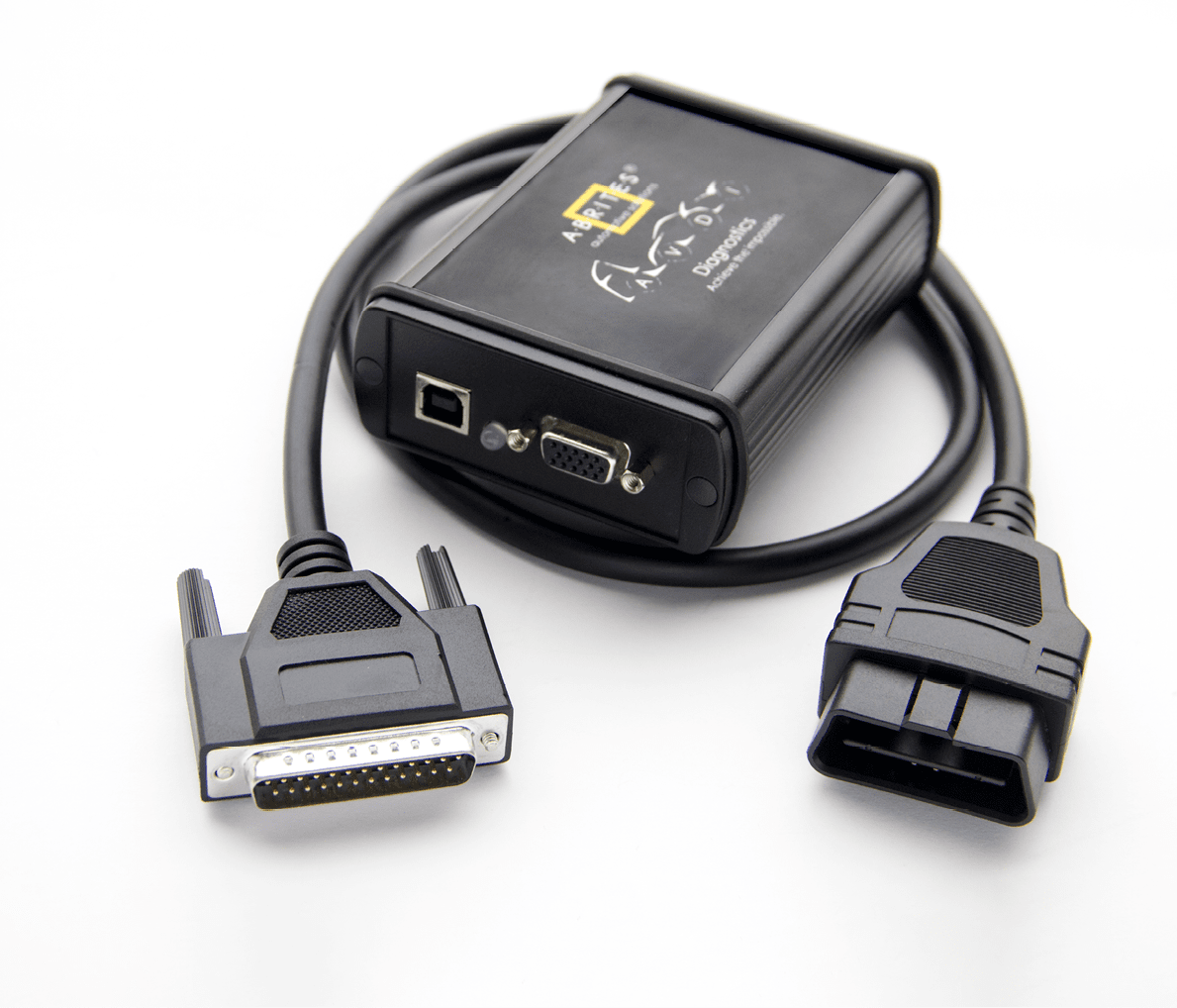
For proper operation of your diagnostic software you will need a corresponding interface for connection between your PC and vehicle named “AVDI”. “AVDI” stands for “Abrites Vehicle Diagnostic Interface.” It is produced by Abrites Ltd. and intended to act as an interface between the PC and the electronic control units.
Please check the “license viewer” installed on your computer for your unique interface ID number.
The software is in constant development and its functionality is ever growing. The intentions for the Abrites Software are to be used by automotive specialists, but it is simultaneously designed in such a way that is accessible to enthusiasts as well.
AVDI should be used with ABRITES software produced by Abrites Ltd.
ABRITES is a trade mark of Abrites Ltd
www.abrites.com
Jaguar/Land Rover Online User Manual
2026
2.1 Scope of the manual
This document describes the usage of Abrites Jaguar/Land Rover Online software. The document is applicable for the latest software version. In this manual we suppose that the software for your AVDI interface is already installed. Please refer the “AVDI Common User’s Manual” in case it is not.
2.2 System requirements:
The Abrites diagnostics for Jaguar/Land Rover Online provides dealer-level diagnostics, reading and clearing DTCs, and perform special functions described in this user manual. It can be installed on any Windows-based system higher than Windows 10 and requires an AVDI interface to operate.
Internet connction is also required for the application to work. We can suggest a connection to the Internet via 3G/ 4G from a mobile device as well as a WI-FI network. Please ensure that port 8443 is allowed by your Internet service provider to ensure the correct functionality of your Abrites diagnostics for Jaguar/Land Rover Online.
When you open the Abrites Quick Start, you should select the Abrites diagnostics for Jaguar/Land Rover:
2. General Information


Using the icons in the top right of your software screen, you will be able to see the internet connectivity and signal strength, and the Gear icon will allow you to choose a language in which the software operates:
7

www.abrites.com
Jaguar/Land Rover Online User Manual
2026
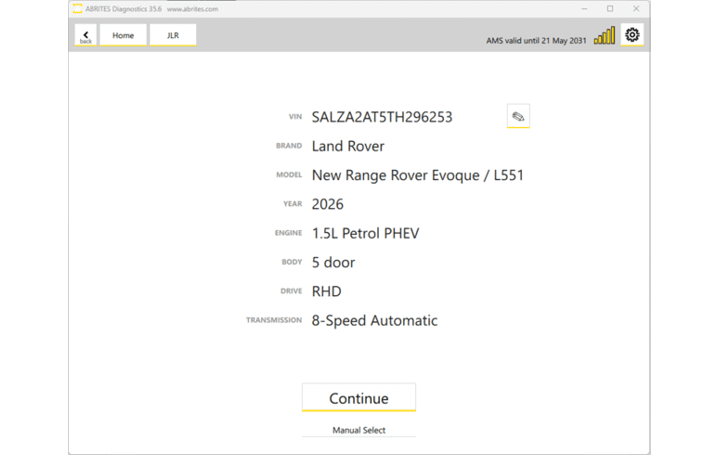
Upont starting the software, an Auto-detect button will appear. It will automatically scans the vehicle’s VIN, model, year of manufacture, etc., your AVDI is connected to. (If the vehicle cannot be automatically detected, you can select it manually by clicking the Manual Select button).
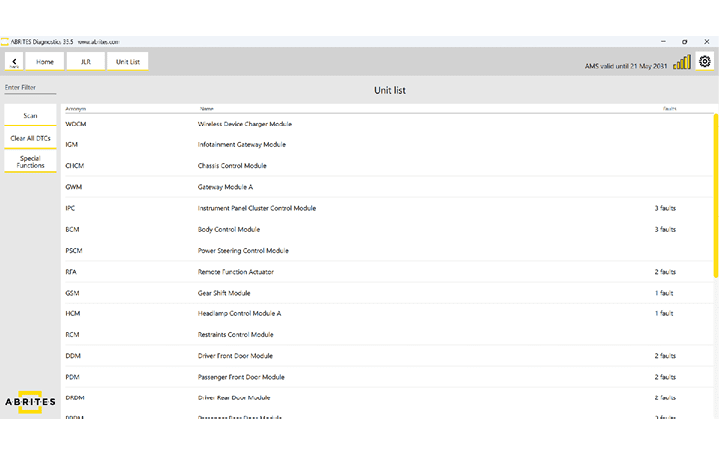
Once the vehicle has been autodetected, it will scan all available modules in the car and the DTC’s stored in them.
8
www.abrites.com
Jaguar/Land Rover Online User Manual
2026
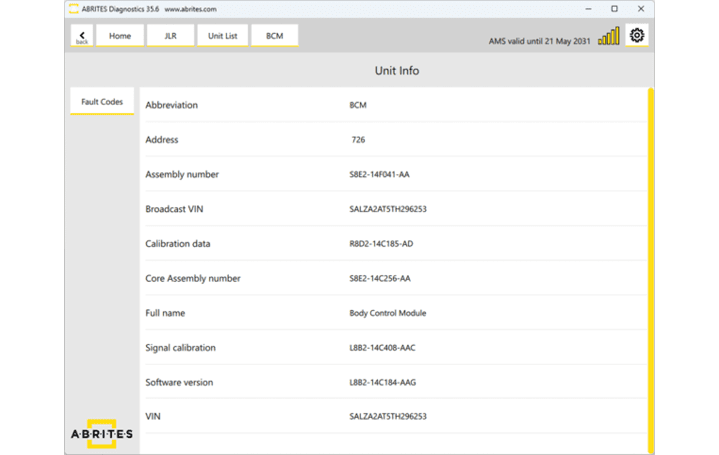
Once a unit is opened, you will be able to see the module’s identification, read and clear the fault codes stored in the unit using the “Fault Codes” button:
9
www.abrites.com
Jaguar/Land Rover Online User Manual
2026
3. Special Functions
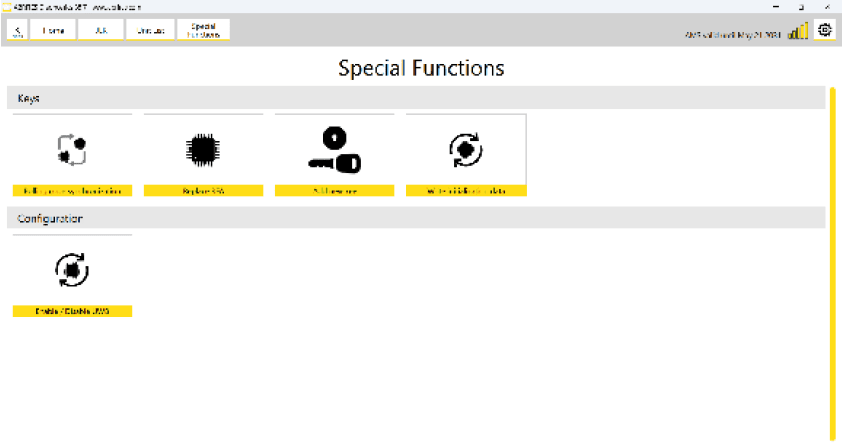
The Special Functions section in the Abrites Diagnostics for JLR Online offers the following functionalities:
10
www.abrites.com
Jaguar/Land Rover Online User Manual
2026
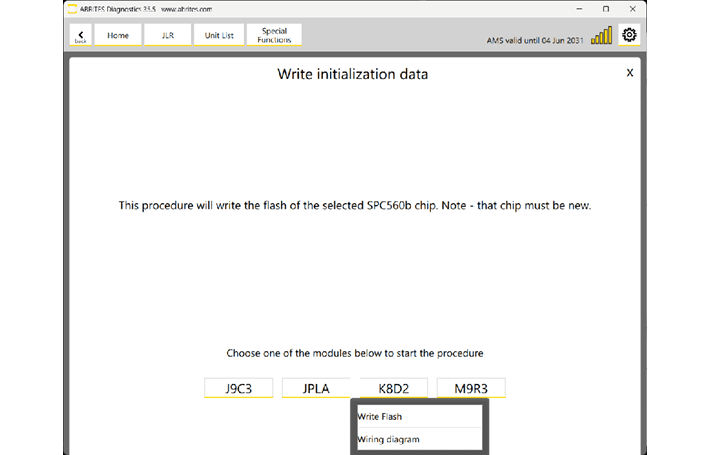
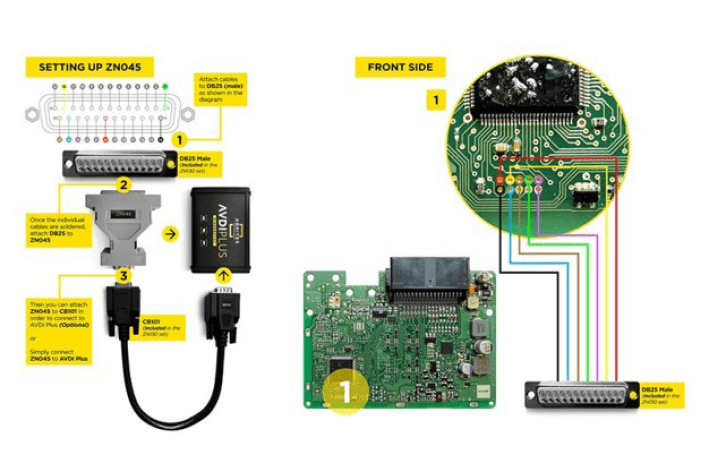
By using this functionality, you can replace the processor in JPLA, K8D2, J9C3, and M9R3 RFA/KVM modules (2018–2026). Instead of replacing the entire module, you can install a new SPC560xx processor and write the configuration data directly to it on bench. This solution is compatible with various Jaguar and Land Rover models, including Defender, Velar, Evoque, Discovery, and Range Rover.
These are the steps you should follow:
11
3.1 MCU (SPC560xx) Replacement of KVM/RFA
www.abrites.com
Jaguar/Land Rover Online User Manual
2026
12
Wiring diagram:
www.abrites.com
Jaguar/Land Rover Online User Manual
2026
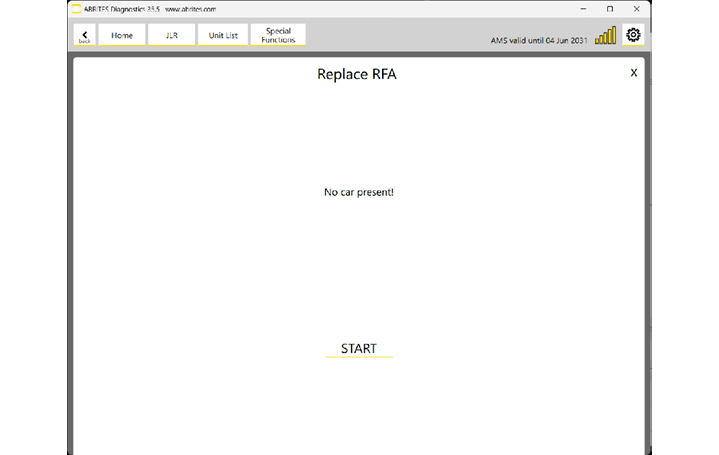
This special function is used when you need to replace the RFA module of the vehicle. Please note that only UNLOCKED RFA (with unlocked MCU) modules are supported, either brand-new, second-hand, or a module with a replaced MCU. The Replace RFA functionality will synchronize the immobilizer system of the vehicle in one click.
Important: After replacing the RFA module successfully, new keys must be programmed for the vehicle.( Section 3.4 )
13
3.2 Replace RFA
www.abrites.com
Jaguar/Land Rover Online User Manual
2026
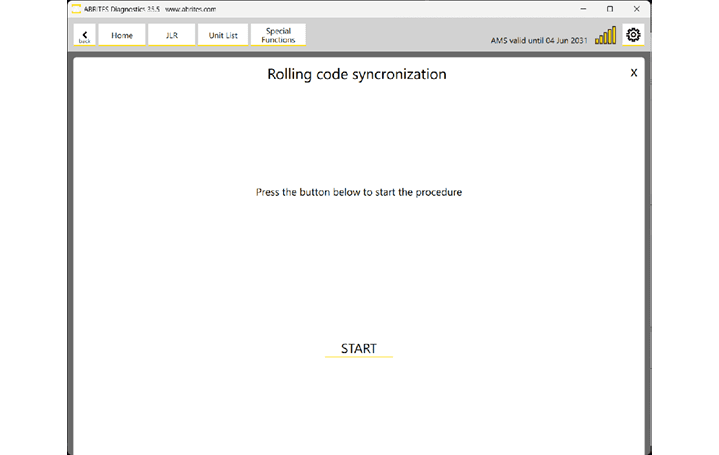
This special function works via OBDII and will synchronize the RFA (KVM) module with all door modules and the BCM. It is helpful when you have replaced the RFA (KVM) module of the car or when one or more door modules have been replaced, and the remote control no longer works. By performing the rolling code synchronization, the remote control will start working again.
14
3.3 Rolling Code Synchronization
www.abrites.com
Jaguar/Land Rover Online User Manual
2026
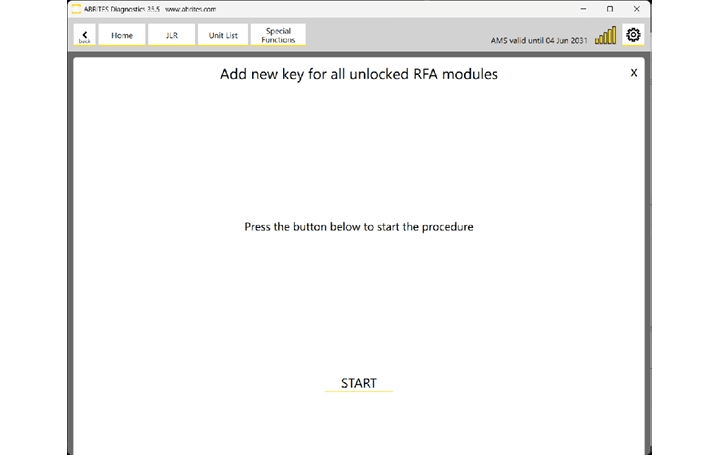
The “Add new key” special function allows programming a spare key for the vehicle equipped with an unlocked RFA module, and you should also have your PROTAG connected to the PC. The software will prompt you to place each of the keys you want to program onto the PROTAG with the buttons facing up. Either Abrites TA66/TA67 or original keys can be used.
15
3.4 Add New Key
www.abrites.com
Jaguar/Land Rover Online User Manual
2026
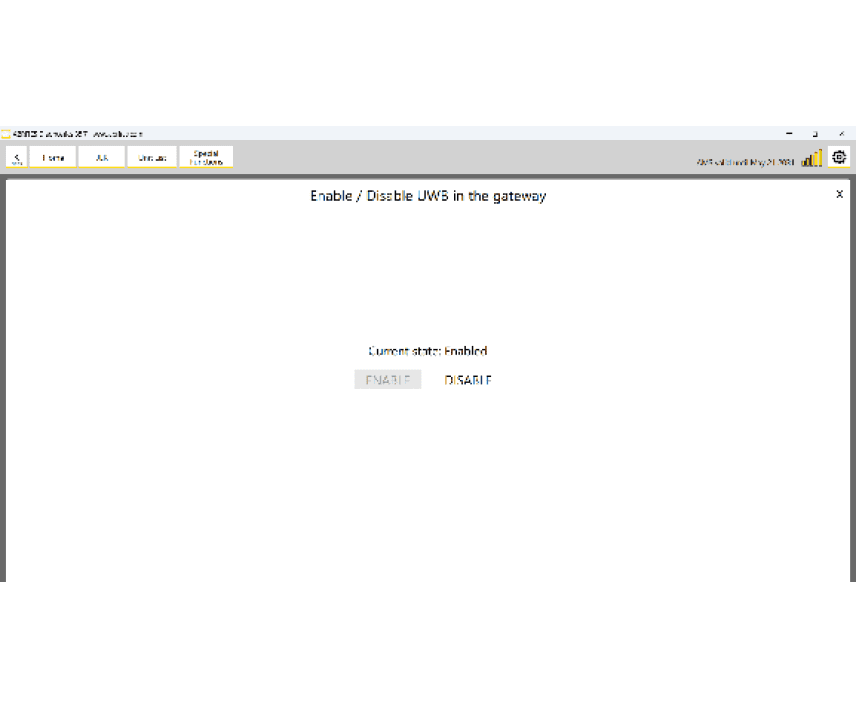
3.5 Enable/Disable UWB
The “Enable/Disable” UWB functionality allows you to activate/deactivate the UWB on JLR vehicles equipped with an unlocked RFA/KVM module.
16
www.abrites.com
Jaguar/Land Rover Online User Manual
2026
4. Immo Info
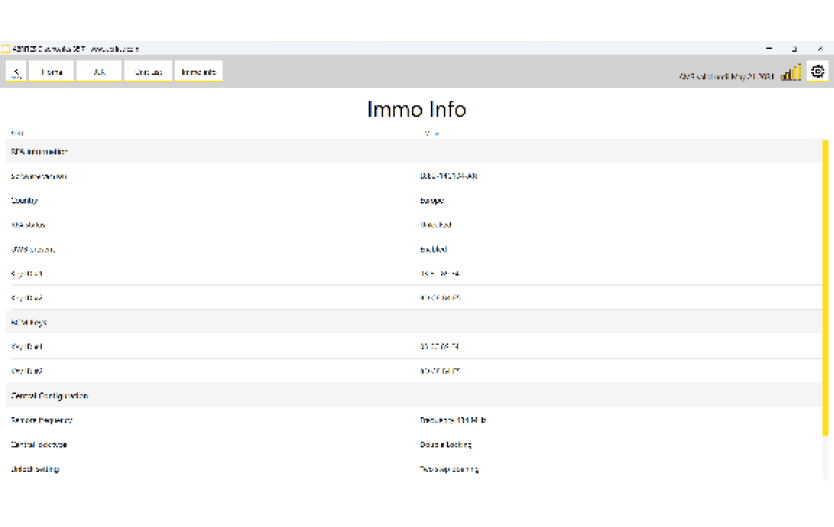
This Immo Info function reads the information from the RFA/KVM, BCM, and the central configuration of the vehicle. It is useful in case you need to check the RFA/KVM type and whether it is locked, to check the BCM type, or whether the vehicle is equipped with UWB or not.
17
www.abrites.com
Jaguar/Land Rover Online User Manual
2026
5. CCF Editor
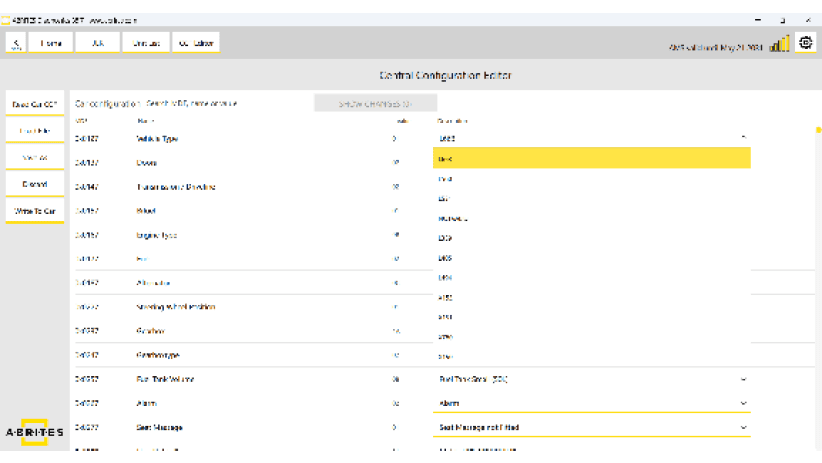
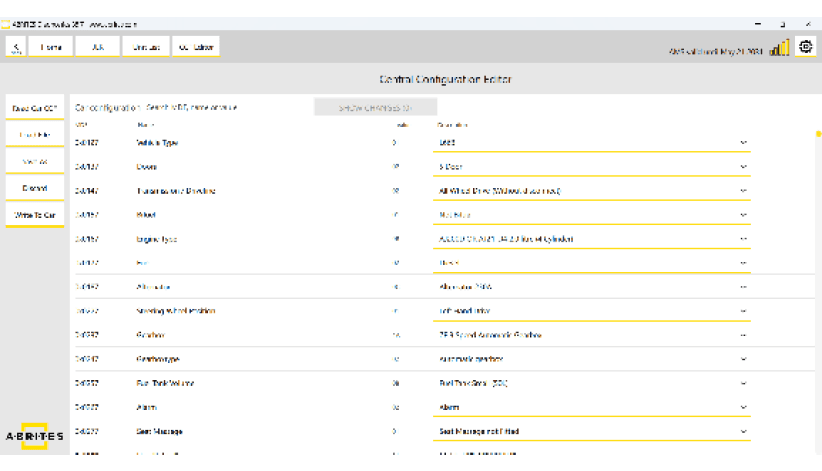
Using the CCF Editor special function, you can read, edit, and update the vehicle’s configuration. You can read the CCF directly from the connected vehicle, save it to a file, or load an existing configuration saved on your PC. Once you have modified the required parameters, simply write the updated CCF back to the vehicle.
18